

The pilot's AI bill was tiny. A few users, a capable model, a rounding error on the invoice. Now usage is real across the business, the token costs are climbing, and finance has started asking why. How do you keep them in check without switching AI off?
The real question
Here's the awkward part: the expensive frontier model is answering everything. Summarising a memo, reformatting a list, drafting an internal note — all charged at the same rate as the genuinely hard problems it was chosen for. Most of your spend is going on work a much smaller model could handle. And you can't see where any of it goes until the invoice arrives, at which point "why did AI cost that much?" is a question you have to answer after the fact, not manage before it.

How to do it
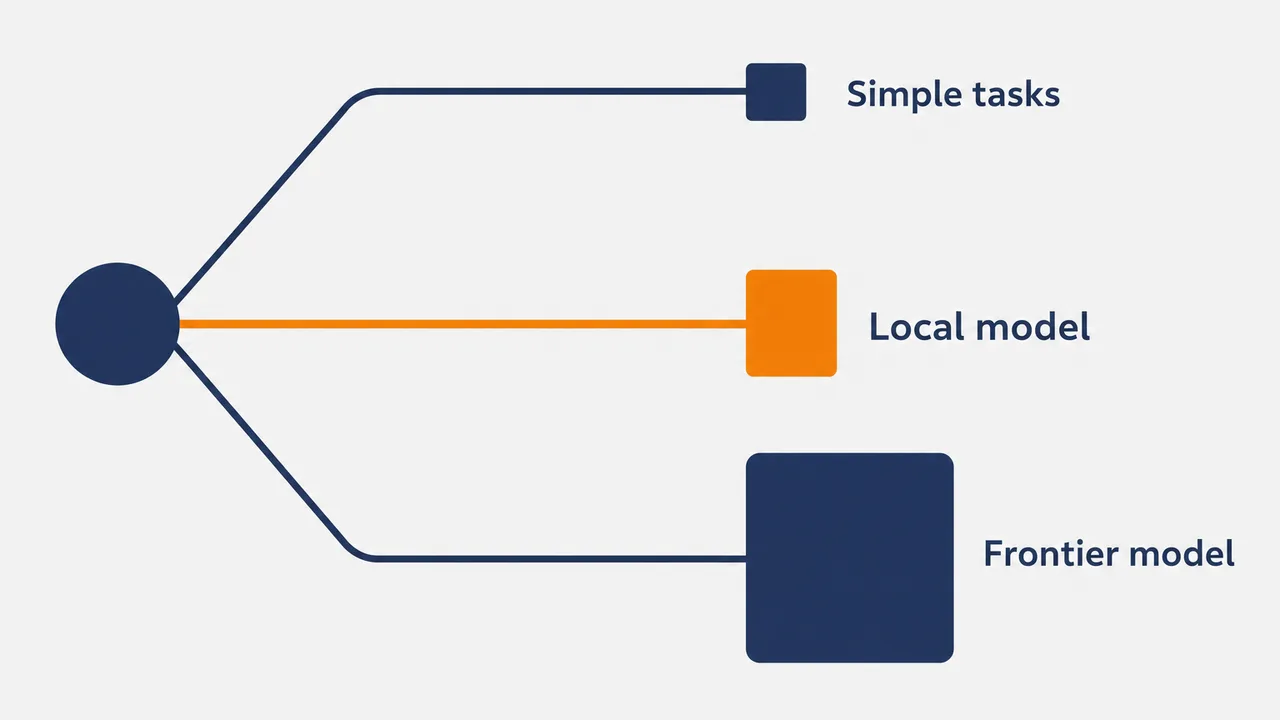
Stop paying frontier prices for simple work. Set a routing strategy so everyday tasks go to smaller, cheaper models and only the genuinely hard problems reach the expensive ones. Done well, this is invisible to the person chatting — they still get an answer, just from the right-sized model — and they can switch models mid-conversation without losing the thread when a task turns out to need more.
Then take the cheapest, highest-volume tasks off the meter entirely. Point your platform at your own model endpoint and run local models for routine work. Now per-token costs only accrue when you truly need a frontier model — everything else runs on infrastructure you already pay for.
What this looks like
In Pebble, this looks like: a financial-services AI lead notices the organisation's default — a premium frontier model — is answering everything, spreadsheets and internal notes included. They set a routing strategy so routine prompts go to a smaller model, and connect a local Ollama endpoint for the highest-volume, lowest-stakes work. Frontier models stay enabled for the analysis that needs them. PebbleObserve's Usage and Logs dashboards show cost per model and per key, and the self-service /usage page lets each team see its own consumption. Within a month, finance can attribute AI spend by team instead of staring at one undifferentiated invoice.
Why this holds up in a regulated business
- Routing strategy is admin-set and applies service-wide; admins choose which models are enabled and provisioned per organisation and workspace.
- You can connect OpenAI-compatible local model providers such as Ollama and run local models for work that doesn't need a frontier API.
- PebbleObserve shows usage, cost and logs per model, key, MCP server and endpoint, with a self-service /usage page for every user.
- People can switch models mid-conversation without losing the thread.
One honest limit: Pebble connects to your local model endpoint — it doesn't host or ship the model for you. You run the endpoint; Pebble routes to it.
Where to start
List your two most common AI tasks and route them down to a cheaper model first — that's usually where most of the spend hides. Then decide which routine, high-volume work could run locally. You'll keep frontier models for what earns their price, and the bill becomes a set of decisions you made on purpose.
Pebble Powered AI.