

The tools your teams need most are the small ones nobody will ever build for them. A triage form. A client-status board. A calculator for one team's specific rules. Now they can build those tools themselves — safely.
The real question
Every department runs on small, specific needs, each one too small for the IT roadmap and too useful to ignore. So people improvise: spreadsheets with macros, personal automations, a departmental tool someone built years ago that nobody dares touch. The business ends up running on software nobody governs — and the backlog of "little apps that would actually help" never gets shorter. The question isn't whether your teams should have their own tools. They already do. The question is whether those tools are governed.

How to do it
Let people create small working apps by describing what they need — a form, a dashboard, buttons wired to real actions in your existing workflows. The result should be something usable, sitting next to the work it supports, not a prototype in a slide deck waiting for budget.
Then make sharing a governed act, not a folder of copies. Publish apps to a catalog the business controls: people share what they build, admins review it and decide what's deployed to which team, and everyone opens the right app by name when they need it. Building stays fast; distribution stays deliberate.
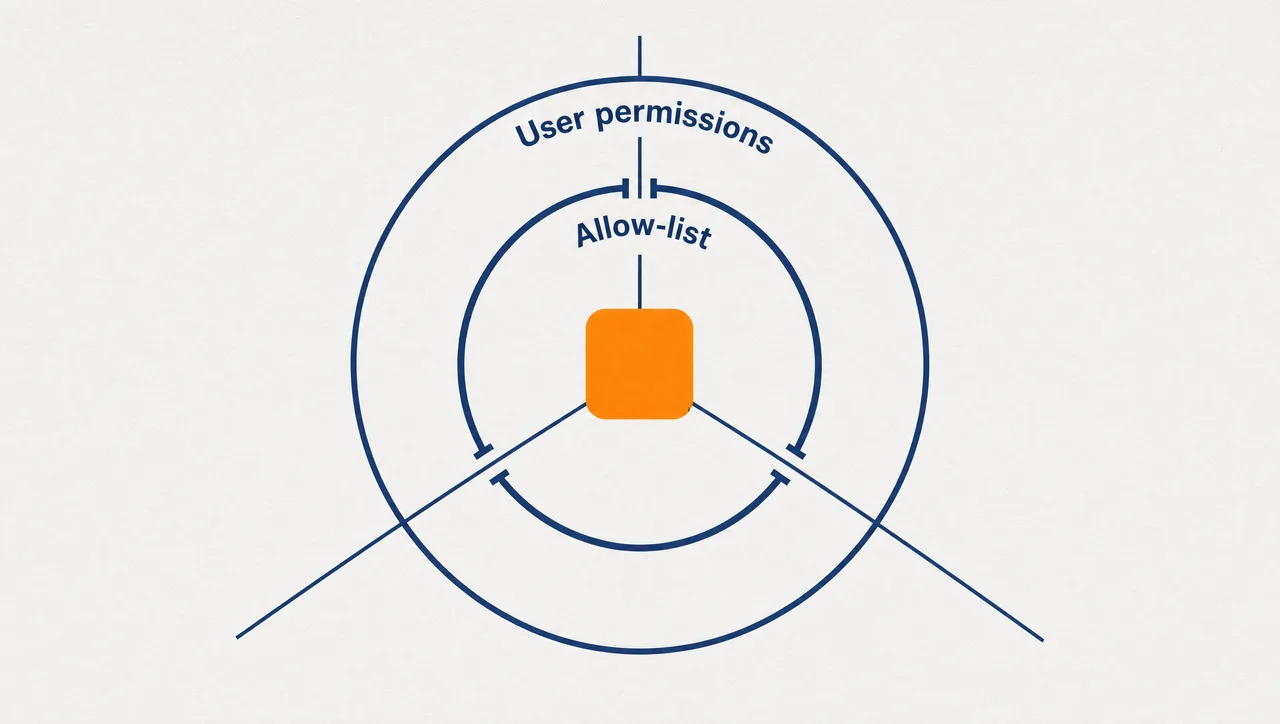
The part that makes this safe to say yes to is the runtime. Every app runs in a sandbox with no direct network access. It can only call the actions on its allow-list, and every call is checked against the permissions of the person actually using it. Credentials never enter the app.
What this looks like
In Pebble, this is LiveApps. Someone on the operations team describes a job-triage board wired to their existing workflow skills, and gets a working app beside their conversation. They share it; an admin reviews it in the catalog and deploys it to the operations workspace; from then on the team opens it by name from the @ menu in chat. Apps generated by agents get the tightest capability grant of all and are flagged for review before anyone relies on them.
Why this holds up in a regulated business
- LiveApps run in a sandboxed frame with no direct network access — every call goes through an allow-list plus the user's own role-based permissions.
- Credentials never enter the app; actions execute through the same governed capabilities as everything else in the workspace.
- Admins govern the catalog: what's shared, what's deployed, and to whom. LiveApps can be switched off organisation-wide.
- Deployed across US, Europe and Australia.
One honest limit: LiveApps are browser-hosted front-ends over governed capabilities — not arbitrary hosted services, and they don't reach the network directly. That constraint is the security model.
Where to start
Ask each team lead for the one small tool they've wanted for a year. Build the two most requested as governed apps, deploy them to just those teams, and watch what happens to the improvised spreadsheets. Let your teams build.
Pebble Powered AI.